Multi-Shot Sequences in Veo: Continuity Tricks
Veo 3.1 caps at 8 seconds per clip. Stitching longer sequences means tricking the model into matching wardrobe, light, and geography across cuts.
Veo 3.1 tops out at 8 seconds per call. Veo 4 is not on fal.ai yet, and there is no public signal that the ceiling moves in the first release. Which means if you want a 30 second piece, you are cutting it together from four or five clips, and the hard part is not any one clip. It is continuity.
The core problem: the model has no memory between calls. Every prompt renders a fresh interpretation of your description. Your character's coat changes color. The light flips from warm to cool. The room's geometry shifts. If you just write four prompts and cut them end to end, you get a slideshow of related shots, not a sequence.
Here is how to work around it.
First trick: a locked character sheet. Write one paragraph that describes your subject in physical, unambiguous terms, and paste it verbatim into every shot prompt. Not paraphrased. Not summarized. The exact same string. "A woman in her early thirties, shoulder length black hair tied back, wearing a dark green wool coat over a cream sweater, small silver earrings, no makeup." Every clip. Every time. The model is more likely to hold the description when the tokens match literally.
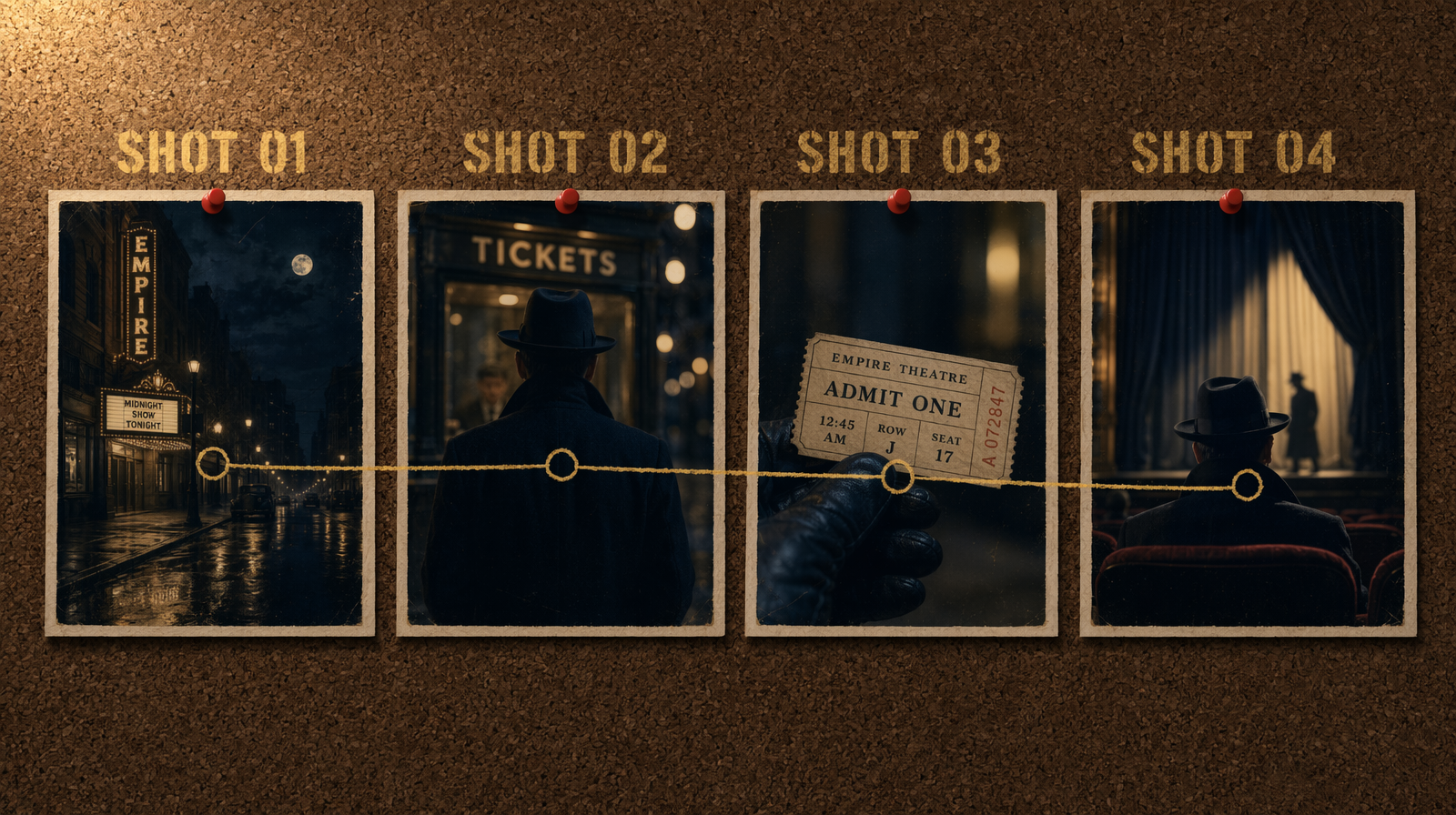
Second trick: fix the light plan. Pick one lighting setup for the scene and describe it identically in every shot, even when the camera angle changes. "Late afternoon, low sun from camera left, warm key on faces, cool blue fill from the window opposite." If your shots all share that line, the cuts will feel like one scene even when the backgrounds differ. If you vary the light description between shots, the cuts will feel jarring and you cannot fix it in grading.
Third trick: name the room. "A narrow kitchen with pale wood cabinets, a single window to the left, terracotta tile floor." Paste that into every shot set in the kitchen. The model's spatial guesses will converge if you give it the same anchor. This works better for interior scenes than exteriors, because exteriors have more degrees of freedom for the model to drift into.
Here is a two shot call pattern. Run these in sequence and stitch the outputs.
1import { fal } from "@fal-ai/client";23// or fal-ai/veo4/text-to-video once available4const characterSheet = "a woman in her early thirties, shoulder length black hair tied back, wearing a dark green wool coat over a cream sweater";5const lightPlan = "late afternoon light, low sun from camera left, warm key, cool fill";67const shotA = await fal.subscribe("fal-ai/veo3.1/text-to-video", {8 input: {9 prompt: `medium wide shot, ${characterSheet}, opening a wooden front door and stepping inside, narrow hallway with pale wood floor, ${lightPlan}`,10 duration: "8s",11 resolution: "1080p"12 }13});1415const shotB = await fal.subscribe("fal-ai/veo3.1/text-to-video", {16 input: {17 prompt: `close up from the side, ${characterSheet}, hanging the coat on a hook by the door, narrow hallway with pale wood floor, ${lightPlan}`,18 duration: "8s",19 resolution: "1080p"20 }21});
Notice the pattern. The character sheet and the light plan are constants. The camera framing and the action are the variables. You change only what needs to change for the next beat. Everything else stays fixed, even when it feels redundant.
Fourth trick: cut on motion. If your two clips have a handoff, like the subject exits frame right in shot A and enters frame left in shot B, the cut will feel continuous even if small details drift. The viewer's eye is tracking motion, not checking wardrobe. Use this. Plan your cuts so every transition has something moving across the edit point.
Fifth trick: accept the cost of retries. In a five shot sequence at Veo 3.1 full quality, budget for seven to eight actual renders. Two of your shots will drift enough that you need to rerender with a slightly tightened prompt. At $0.40 per second and 8 second clips, that is $3.20 per clip, so an eight clip run comes in around $26 for a 40 second sequence. Veo 3.1 Fast cuts that to roughly $2 per clip, which brings the same run down near $16. The tradeoff is that Fast is more prone to the very drift you are fighting. For sequences, full quality pays back.
One more thing. Do not try to continue a shot across a cut. Veo cannot pick up where it left off. If you try to prompt "continuation of the previous shot," the model ignores it. Every call is fresh. Design your sequence around that fact and you will stop fighting the tool. Veo 4 may improve continuity, but assume the same constraint until proven otherwise.